iOS 18.6+ 中英文 iCloud 同步

GymBuddyGymBuddy

练一分钟也算练,让身体自然变强

GymBuddy 是面向日常力量训练的 iOS 健身助手。不替你排死课表、不盯大卡 KPI,给你建议动作、无脑跟练,均匀练到全身。

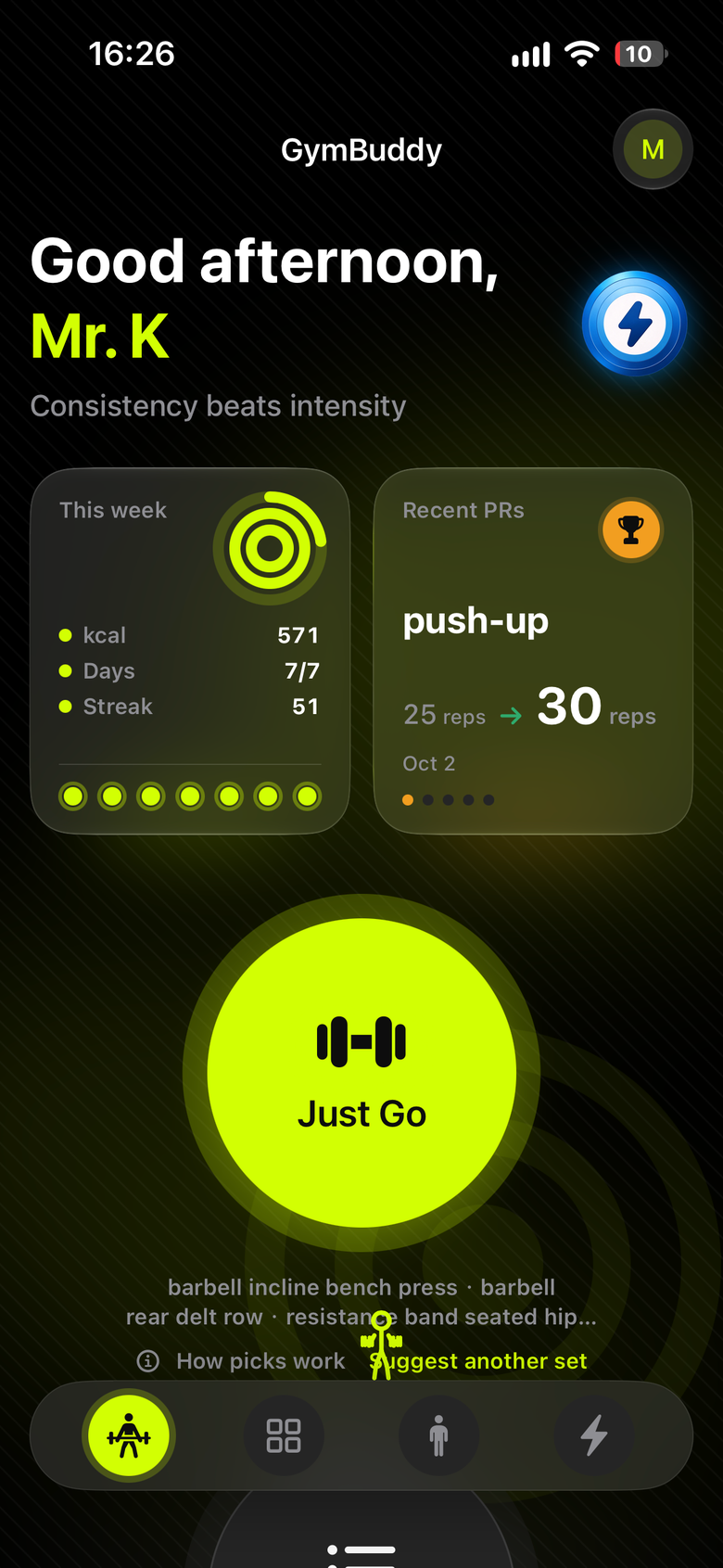
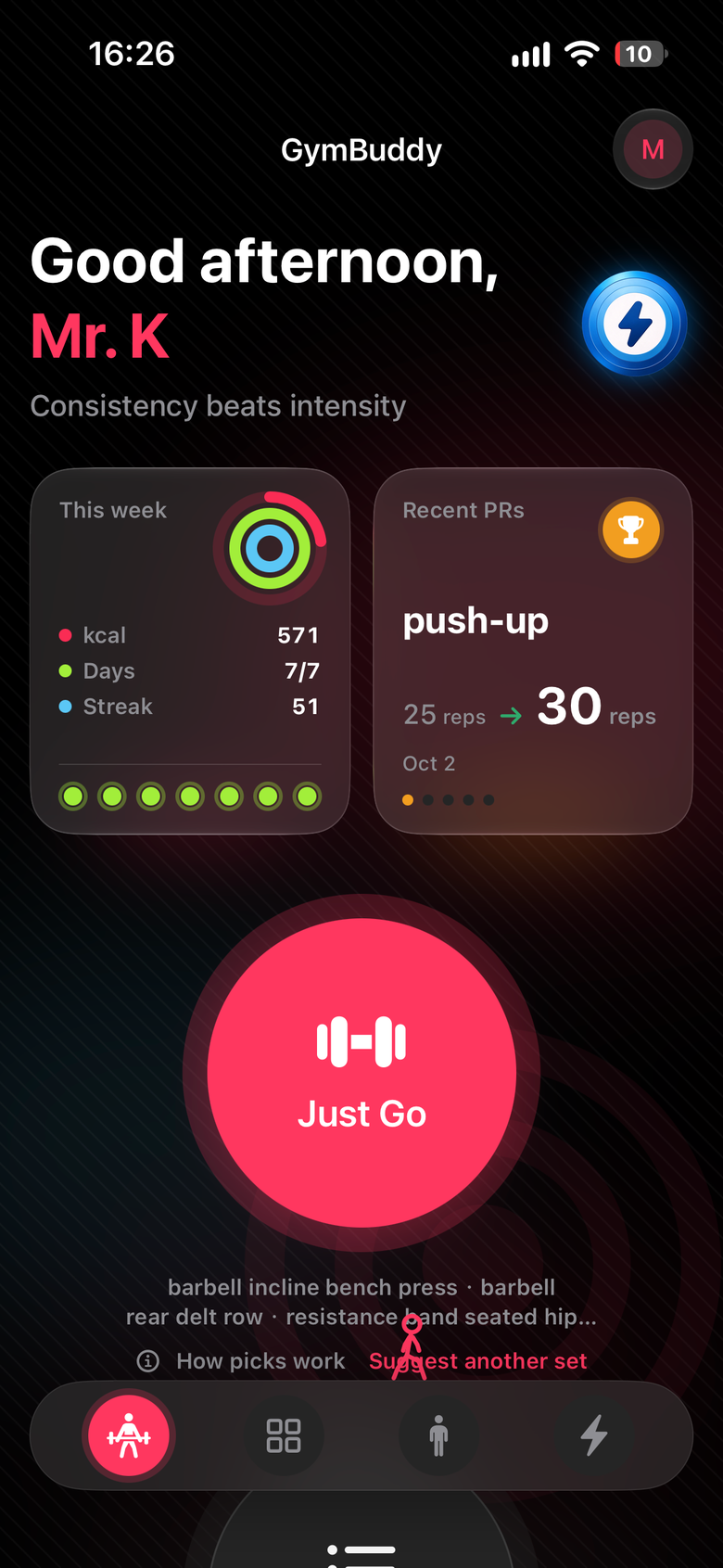
GymBuddy 训练首页预览

健身最难的是坚持

GymBuddy 帮你把门槛压到最低

打开健身 App,面对一堆计划和动作,不知道今天该练什么,想着「算了明天再说」?
健身新手
不知从何练起
计划排得太满、要求太高,一次没完成就放弃,健身 App 变成手机里的「内疚图标」?
忙碌的上班族
计划太复杂难坚持
只练熟悉的几个动作,胸练多了背却忘了,练了什么、哪块肌肉被冷落,心里没数?
力量训练爱好者
练得不均衡

GymBuddy:建议动作,无脑跟练,均匀练全身。

先动起来比完美计划更重要。一分钟也算练,早晚随手跟一组,让身体自然变强。

GymBuddy · 真实体验

从快速开练到数据回顾,完整覆盖日常力量训练闭环

训练首页

训练首页:快速开始

本周出勤、连续打卡与今日推荐迷你课。默认约 3 个动作,在推、拉、腿、核心间尽量平衡,避开刚练过的部位,一键开练。

跟练记组

跟练记组

按动作逐组记录重量与次数,休息计时器控制组间节奏。完成训练进入总结页,回顾本次时长、容量与估算消耗。

动作库

动作库

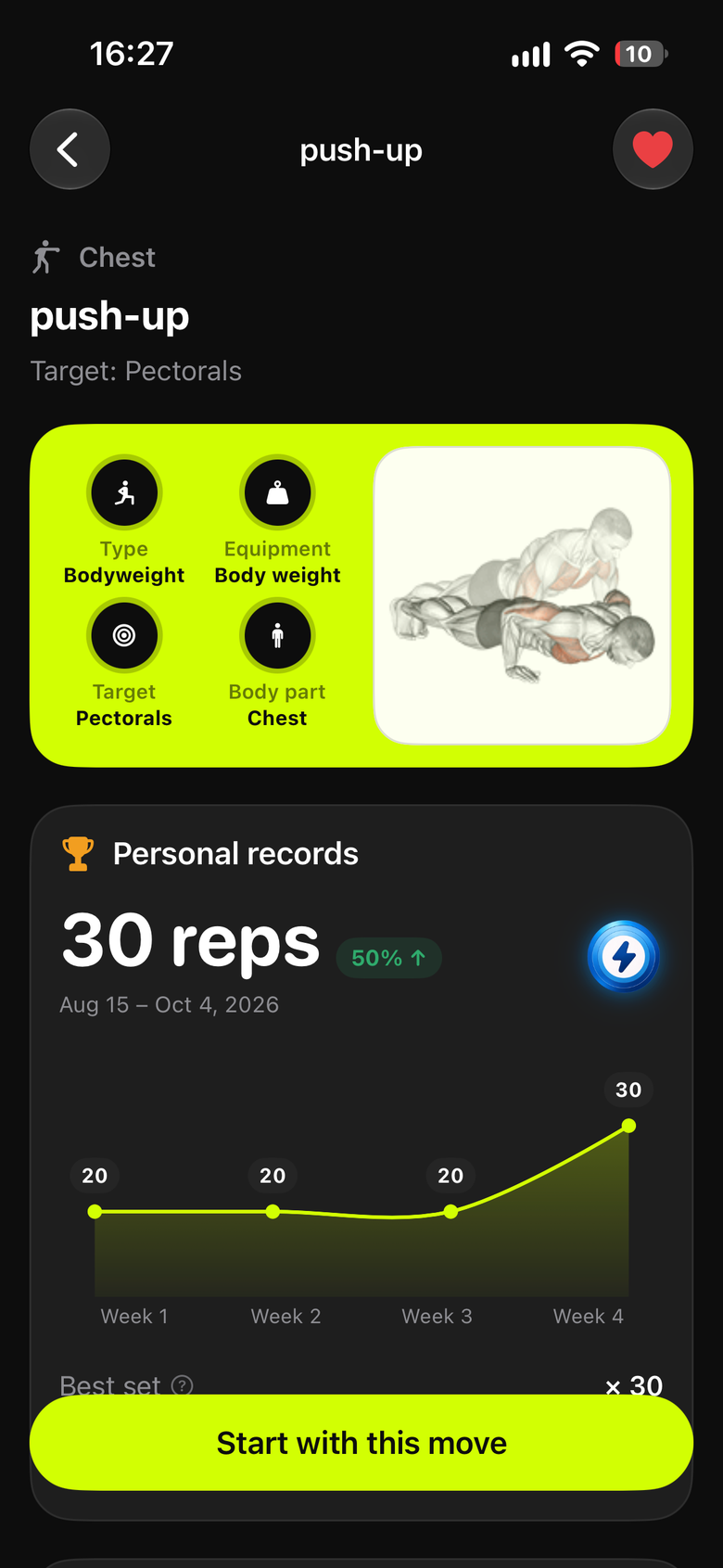
搜索、按部位浏览、多条件筛选与收藏。进入详情查看说明与演示动图,确认动作形态与目标肌群。

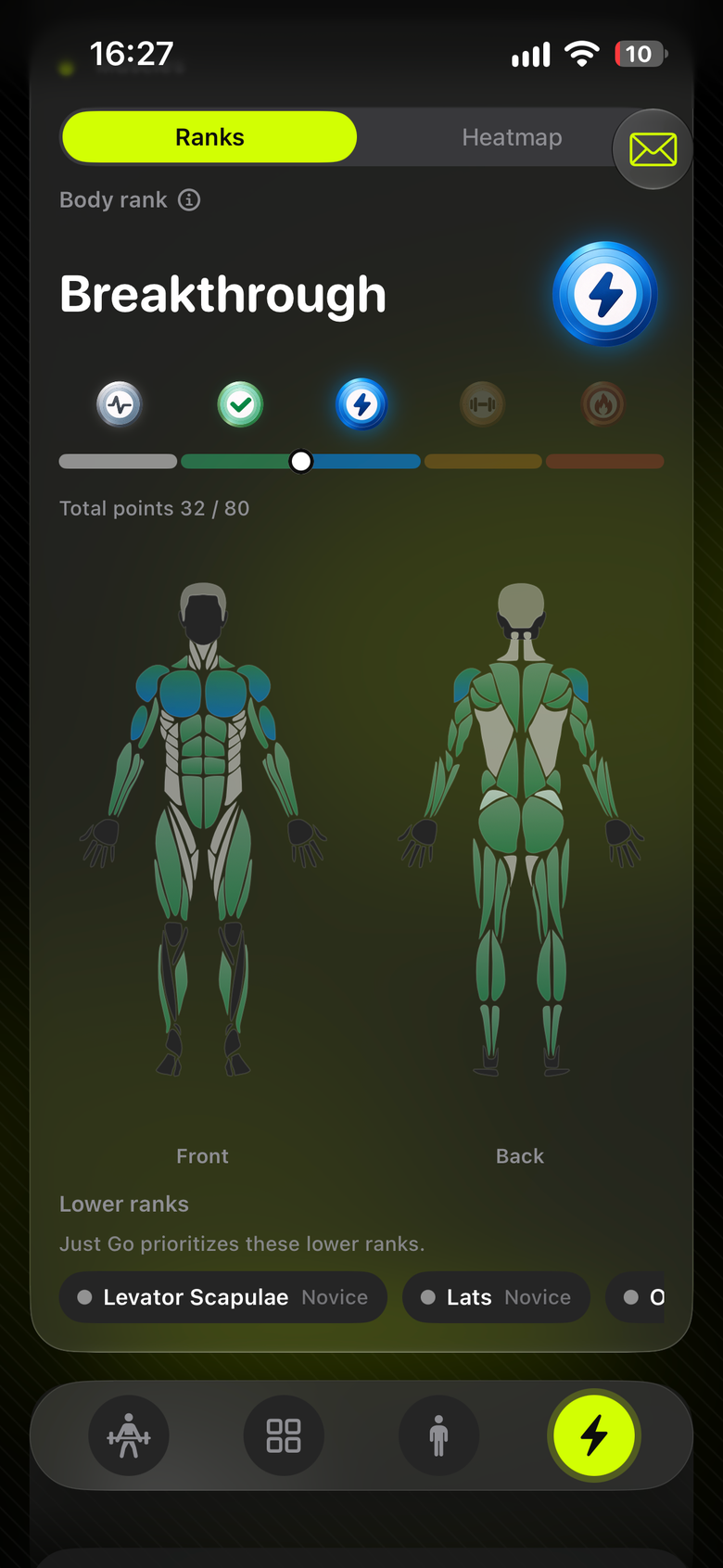
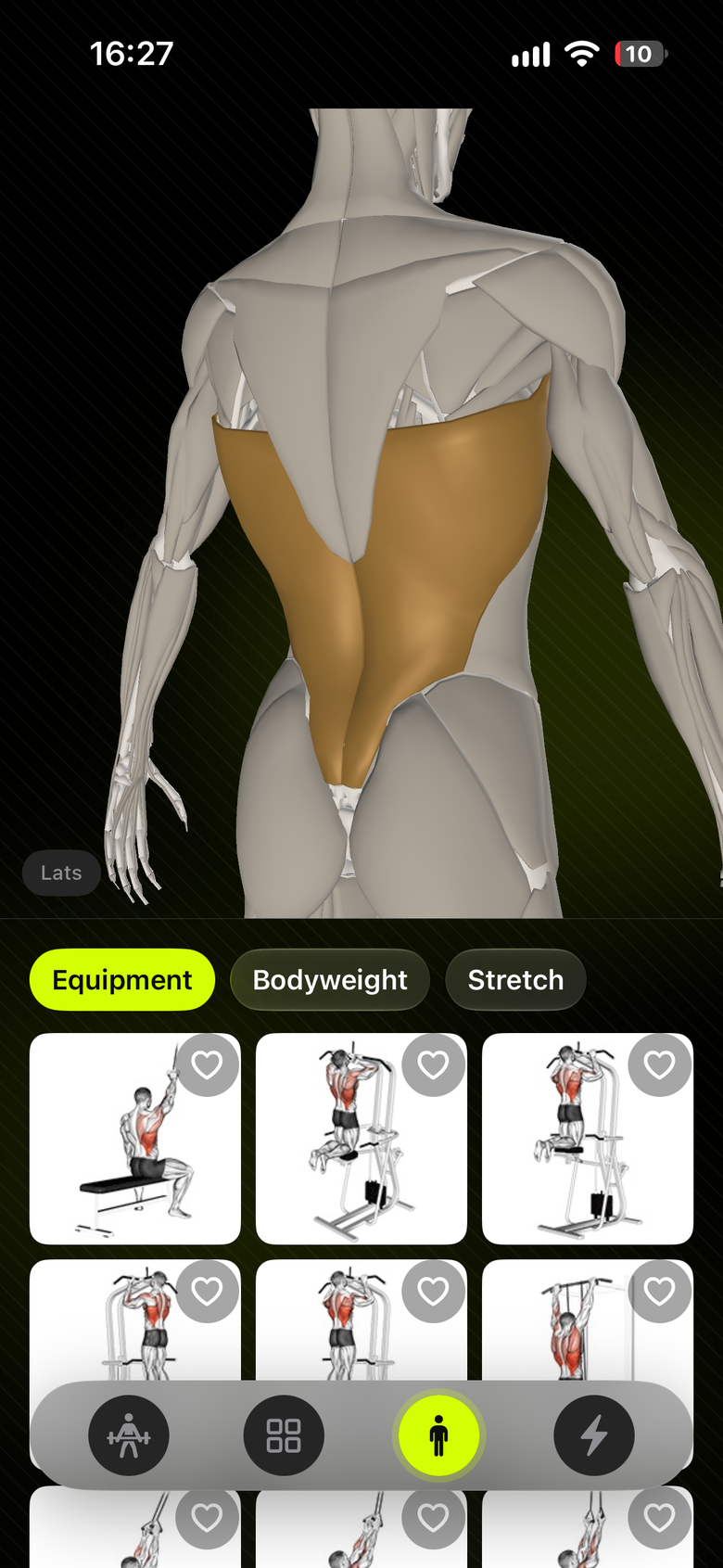
3D 解剖探索

3D 解剖探索

可交互 3D 人体模型,点选肌群列出对应动作。勾选后直接开练或保存为计划,从身体出发找动作。

训练数据回顾

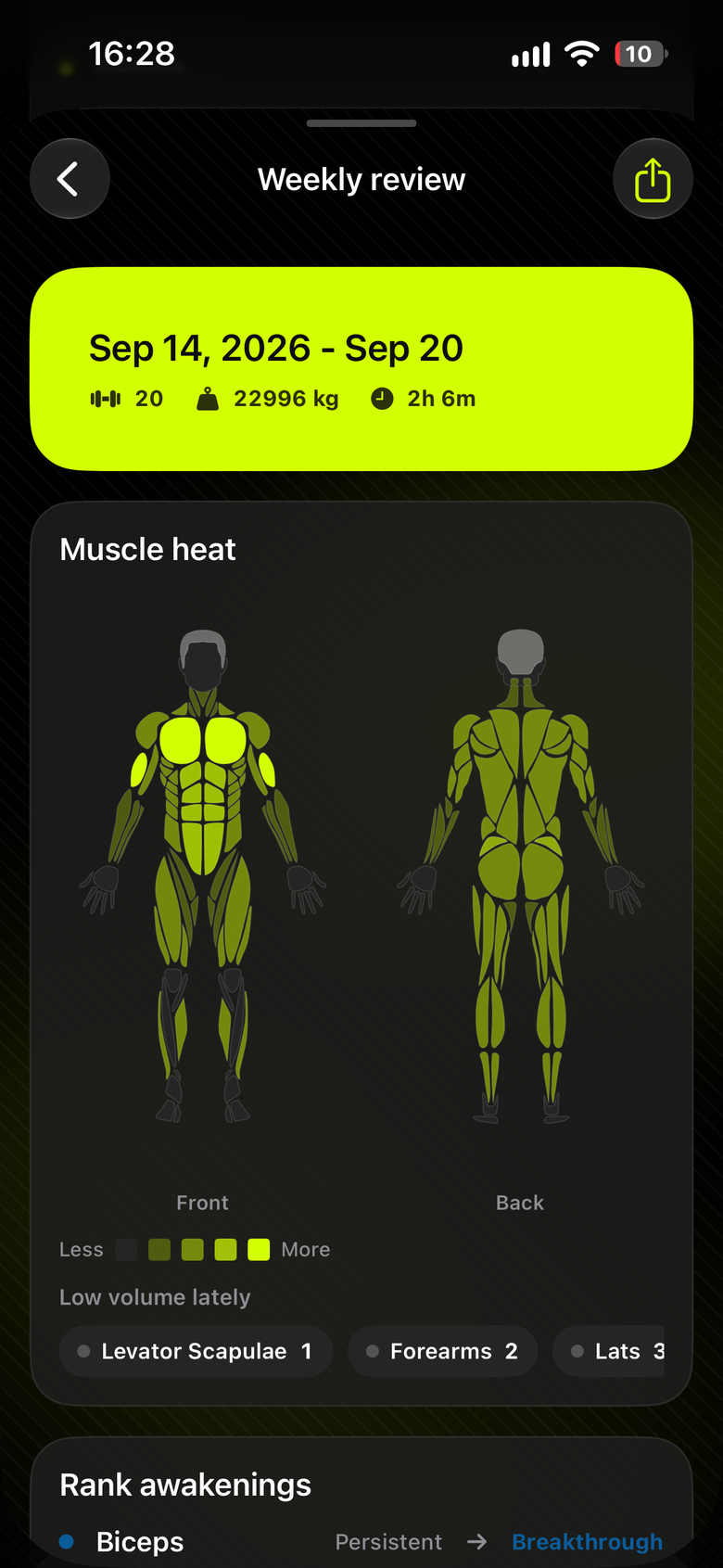
训练数据回顾

肌群热力图、容量与消耗概览、月历热力与近期会话。看清最近练了什么、哪块肌肉被冷落、这周大概消耗多少。

GymBuddy · 核心亮点

低思想压力 · 全身均衡 · 训练可闭环

思想压力最低

  • 不强制计划、不盯死大卡;建议动作、无脑跟练
  • 练一分钟也算练,早晚随手跟一组
  • 消耗数字只作参考,节奏由你定

早晚都能开练

  • 首页一键快速开始,按推/拉/腿/核心平衡推荐
  • 参考健身目标、近期训练与收藏调整推荐
  • 也可从「我的计划」进入自建课表

训练可闭环

  • 跟练记组 → 完成总结 → 数据回顾 → 周报建议
  • 支持自建计划复用,不必每次重新挑动作
  • 出勤与连续天数帮你看见节奏

看得见身体

  • 3D 解剖与肌群热力,把抽象练法变成视觉反馈
  • 点肌群 → 找动作 → 开练,适合按部位拼课
  • 发现练得多 / 练得少的区域

多端可同步

  • 训练记录经 CloudKit 在 iCloud 设备间同步
  • 资料、收藏与语言偏好经 iCloud Key-Value 同步
  • 登录同一 Apple ID 即可多设备延续训练

双语可用

  • 应用语言与动作内容语言可独立适配
  • 支持中文 / 英文场景切换
  • 动作说明与演示在中英文间自如浏览

典型使用流程

从开练到回顾,五步搞定

1

快速开练

首页查看今日推荐,或从计划 / 解剖页一键开始

2

跟练记组

逐组记录重量与次数,休息计时控制节奏

3

完成总结

回顾本次时长、容量与估算消耗等关键数据

4

数据回顾

在数据 Tab 查看热力图、日历与近期会话

5

周报建议

自然周汇总训练,获取回顾与下周重点建议

适用场景

无论你是新手还是老手,GymBuddy 都能陪你练下去

健身新手,不知从何练起今日推荐迷你课,约 3 个动作无脑跟练
碎片时间也想动一动一分钟也算练,早晚随手跟一组
想按部位针对性训练3D 解剖点肌群,直接找动作开练
担心练得不均衡肌群热力图发现冷落部位,推荐补空白
有固定课表想复用保存为计划,下次从「我的计划」快速开练
多设备训练iCloud 同步训练记录与个人资料
"以前健身 App 计划太复杂,三天就放弃。GymBuddy 给我推荐几个动作,跟练一分钟也算完成,终于能坚持每天动一动了。"
—— 某上班族用户

了解 GymBuddy

GymBuddy 是一款面向日常力量训练的 iOS 健身助手,用最低的思想压力帮你练起来。

建议动作,无脑跟练,均匀练全身——让身体自然变强。

iOS 18.6+ Bilingual iCloud Sync

GymBuddyGymBuddy

One minute counts — build strength at your own pace

GymBuddy is a low-friction iOS strength-training companion. No rigid plans or calorie KPIs — get suggested moves, follow along, and train your whole body evenly.

GymBuddy home screen preview

Consistency is the hardest part

GymBuddy lowers the barrier to getting started

Open a fitness app, face endless plans and moves, don't know what to train today — so you put it off until tomorrow?
Beginner
Not sure where to start
Plans that are too ambitious make you quit after one miss — the app becomes a guilt icon on your home screen?
Busy professional
Plans too hard to stick with
Always training the same moves — chest gets plenty, back gets none. No clear picture of what you've actually worked?
Strength enthusiast
Unbalanced training

GymBuddy: suggested moves, follow along, train your whole body.

Starting matters more than a perfect plan. One minute counts — move when you can, and get stronger naturally.

GymBuddy · In Action

From quick start to data review — a complete strength-training loop

Training home

Home: Quick Start

Weekly attendance, streak, and today's mini workout. About 3 moves balanced across push, pull, legs, and core — start with one tap.

Workout logging

Workout Logging

Log weight and reps set by set. Rest timer keeps your pace. Finish with a summary of duration, volume, and estimated burn.

Exercise library

Exercise Library

Search, browse by body part, filter, and favorite. Detail pages with instructions and demo GIFs for form and target muscles.

3D anatomy

3D Anatomy

Interactive 3D body model — tap a muscle group to see matching exercises. Select and start training or save as a plan.

Training data

Training Data

Muscle heatmap, volume overview, calendar heat, and recent sessions. See what you trained, what's neglected, and weekly burn estimates.

GymBuddy · Highlights

Low friction · Full-body balance · Complete training loop

Lowest mental load

  • No rigid plans or calorie KPIs — suggested moves, follow along
  • One minute counts; train morning or evening
  • Burn estimates are reference only — your pace, your rules

Train anytime

  • One-tap quick start with balanced push/pull/legs/core picks
  • Recommendations adapt to goals, recent training, and favorites
  • Or launch from your saved plans

Complete loop

  • Log sets → finish summary → review data → weekly report
  • Save and reuse custom plans
  • Attendance and streaks help you see your rhythm

See your body

  • 3D anatomy and muscle heatmaps turn abstract training into visual feedback
  • Tap muscle → find moves → start training
  • Spot over- and under-trained areas

Multi-device sync

  • Training records sync via CloudKit on iCloud
  • Profile, favorites, and language via iCloud Key-Value
  • Continue on any device with the same Apple ID

Bilingual

  • App language and exercise content language adapt independently
  • Chinese and English supported
  • Browse instructions and demos in either language

Typical Workflow

Five steps from start to review

1

Quick start

Check today's picks on home, or launch from a plan or anatomy

2

Log sets

Record weight and reps; rest timer between sets

3

Finish summary

Review duration, volume, and estimated burn

4

Data review

Heatmaps, calendar, and recent sessions in the Data tab

5

Weekly report

Natural-week summary with review and next-week focus

Use Cases

Whether you're new or experienced, GymBuddy keeps you moving

New to strength trainingToday's mini workout — about 3 moves to follow
Only a minute to spareOne minute counts — train morning or evening
Train a specific area3D anatomy — tap a muscle, find moves, start
Worried about imbalanceMuscle heatmap shows neglected areas
Reuse a routineSave as a plan, launch from My Plans next time
Multiple devicesiCloud sync for records and profile
"Other fitness apps had plans so complex I'd quit in three days. GymBuddy suggests a few moves — even one minute counts — and I finally train every day."
— A busy professional

Learn about GymBuddy

GymBuddy is an iOS strength-training companion that helps you get moving with the lowest mental load.

Suggested moves, follow along, train your whole body — get stronger naturally.